Communication platforms or methods through which customer support and ticketing interactions take place. These include Microsoft Teams, Email, Web Forms, Web Widgets, and Support Portals.
What are support channels?
Support channels are the communication methods customers or employees use to contact a support team. Common channels include email, phone, web forms, support portals, and messaging platforms. The channels a team offers depend on its users, support model, and available tools.
How do support channels work?
A user chooses a channel to report a question or problem. The support team then captures the request, assigns ownership, and follows it through resolution. When several channels are available, a ticketing system can help agents manage requests consistently instead of handling each channel in isolation.
Benefits of multiple support channels
User choice: People contact support in the way that suits them.
Trackable workflow: Requests from every channel are captured as tickets.
Clear view of demand: Teams see where requests come from and how many arrive.
Fewer lost requests: Every channel feeds one queue, so nothing is missed.
How does Desk365 help manage support channels?
Desk365 brings tickets from five channels into one inbox: email, Microsoft Teams, support portal, embedded web forms and web widgets.
Email: Every email sent to your support address becomes a ticket.
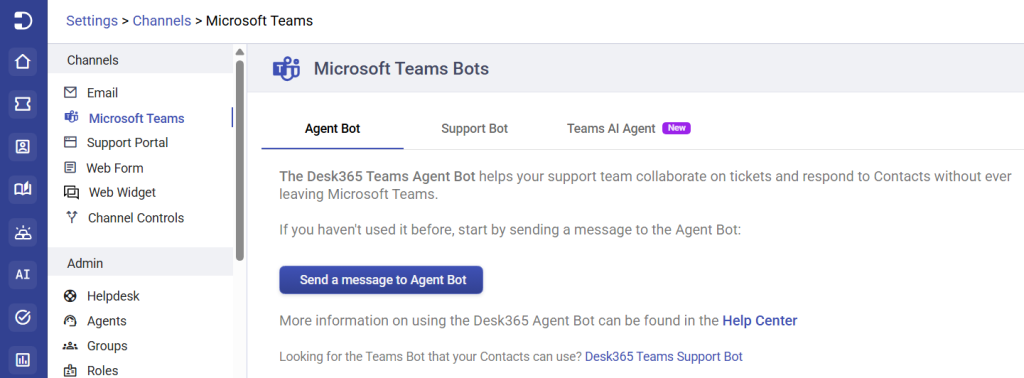
Microsoft Teams: Employees raise and track tickets with the Support Bot, and agents work tickets with the Agent Bot.
Support portal: A web view, like a self-service website, where customers create tickets, check their status and search the knowledge base.
Web forms: Embedded forms on your website turn submissions into tickets.
Web widgets: Visitors raise tickets from a widget on your site.
Channel controls: Turn each channel on or off to match how your team supports users.