Predefined rules or processes designed to automatically execute specific actions, such as assigning tickets, sending notifications, or updating statuses, streamlining repetitive tasks and improving efficiency.
What is help desk automation?
Help desk automation uses rules and workflows to perform repetitive support tasks with less manual effort. These tasks can include assigning tickets, updating fields, sending notifications, or escalating requests when specific conditions are met.
How does help desk automation work?
A team defines a trigger, the conditions to check, and one or more actions. For example, a rule could assign tickets with a particular category to the appropriate support group or notify a manager when a high-priority ticket needs attention. Clear rules help ensure that similar requests follow a consistent process.
Benefits of help desk automation
Less manual work: Rules handle repetitive updates so agents can focus on solving issues.
Consistent handling: Similar tickets follow the same steps every time.
Accurate routing: Requests reach the right team without manual triage.
Timely follow-up: Reminders and escalations fire before requests are forgotten.
How does Desk365 help with desk automation?
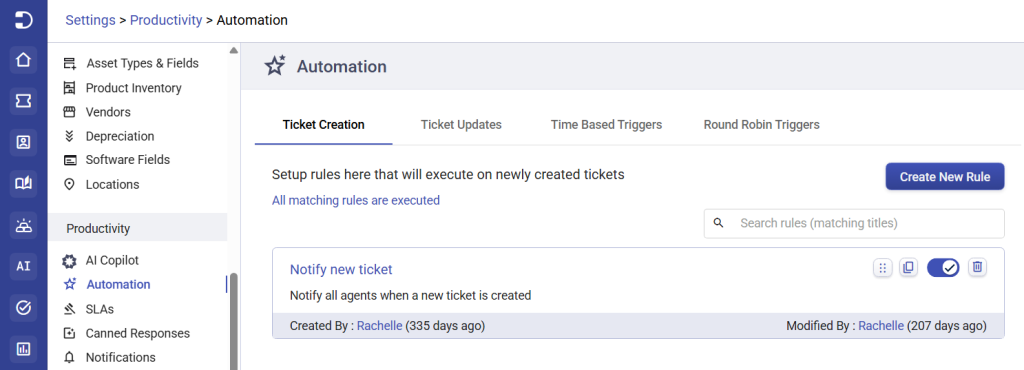
Desk365 lets admins build automation rules that run when a ticket is created, when it is updated, or on a time-based schedule.
Ticket routing: Assign tickets automatically based on different conditions and properties, such as group, priority, custom fields, or distribute them using round-robin and workload-based assignment.
Automatic actions: Send emails, request approvals, add tasks or time entries, trigger webhooks and many more.
SLA alerts: Remind agents before targets pass and notify chosen people when a target is missed.