IT helpdesk software
built for smooth service delivery
Manage IT requests, incidents, assets, and workflows from one simple helpdesk. Desk365 brings ticketing, ITSM, AI, and Microsoft 365 together so your IT team can resolve issues faster without juggling multiple tools.
Trusted by 7,000+ businesses around the world


























Why IT teams need an advanced helpdesk
IT teams juggle multiple priorities, that doesn’t mean they should juggle multiple tools too. Desk365 brings all workflows together so agents can resolve incidents, plan changes, and provide proactive support from one single platform.
Give agents the context they need
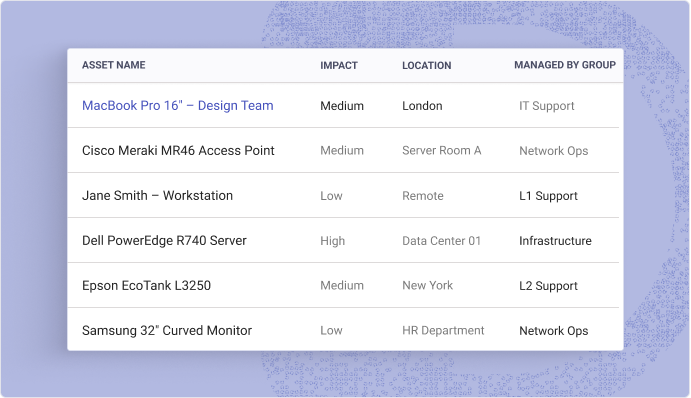
Link tickets to users and IT assets so agents can see relevant ownership, location, history, and other asset information while troubleshooting.
Automate routine IT work
Automatically assign, route, update, notify, and escalate tickets based on your workflows, SLAs, and business rules.
Manage ITSM without another system
Handle asset management and change and approval workflows alongside everyday IT support, giving your team one place to manage IT operations.
A full-featured IT helpdesk platform
Smarter ticket and incident management
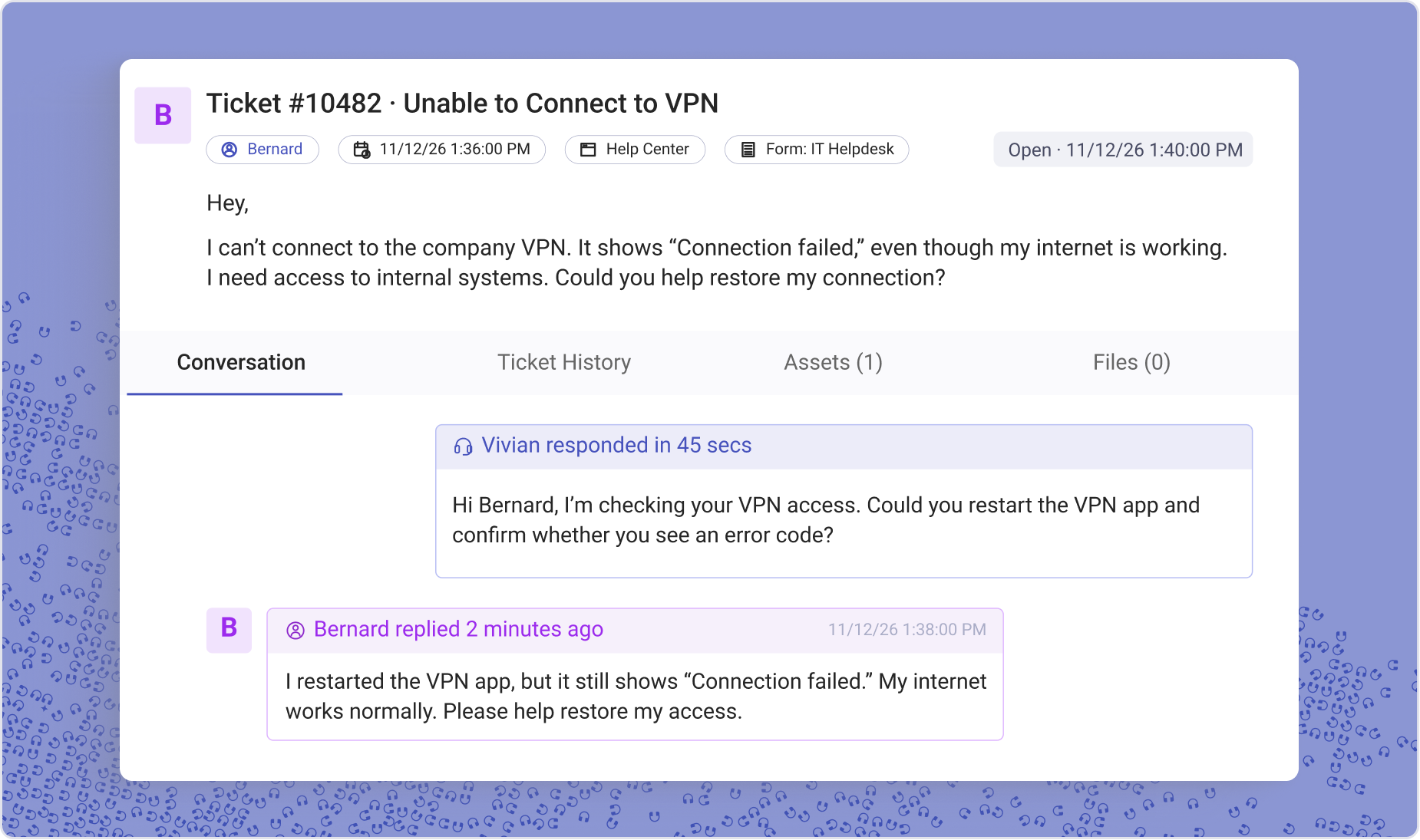
Bring every IT request into one shared workspace. Automate ticket assignment, prioritize issues, set SLAs, collaborate internally, and keep every interaction connected to the ticket.
- Unified inbox across email, Microsoft Teams, portal, and web
- Automated ticket assignment and routing
- SLAs, escalations, and notifications
- Private notes and internal collaboration
- Custom forms, fields, views, and workflows
AI that helps your IT team, not replaces it
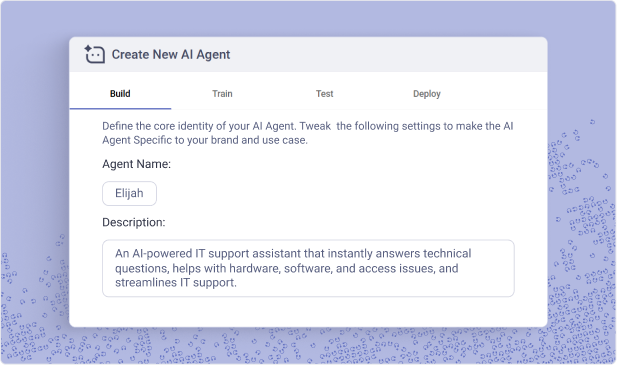
The Desk365 AI Agent and AI Copilot are built to reduce repetitive work while keeping your agents in control.
- Build, train, test, and deploy AI Agents across your support channels
- Escalate conversations to human agents when needed
- Summarize long ticket conversations, draft and translate responses with AI, and turn resolved tickets into knowledge base articles with the AI Copilot.
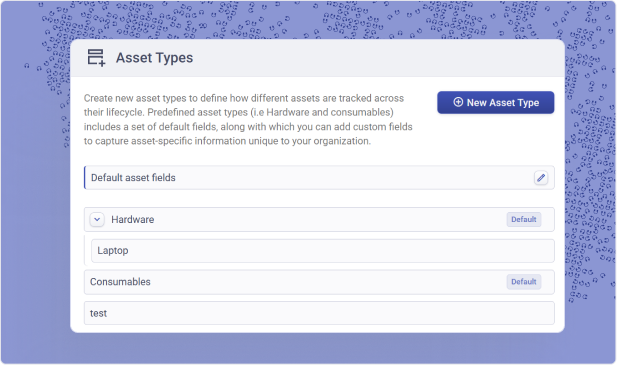
Connect IT support with assets
Get full visibility into incidents with assets linked to tickets. Desk365 IT Asset Management connects device information directly to your helpdesk.
- Track hardware, software, and consumables
- Manage vendors, locations, and ownership
- Import and sync devices from Microsoft Intune
- View asset history and activity
Learn more about Asset Management in Desk365.
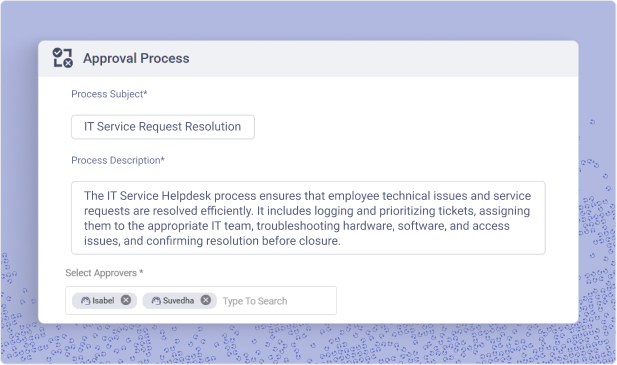
Manage changes and approvals without the email chain
Standardize IT changes and requests with configurable approval workflows. Create sequential or non-sequential approval processes, send reminders, track decisions, and keep an audit trail of every approval.
- Create and manage reusable approval workflows
- Automate approval requests and reminders
- Track approval status and history
- Prevent tickets from closing while approvals are pending
And more...
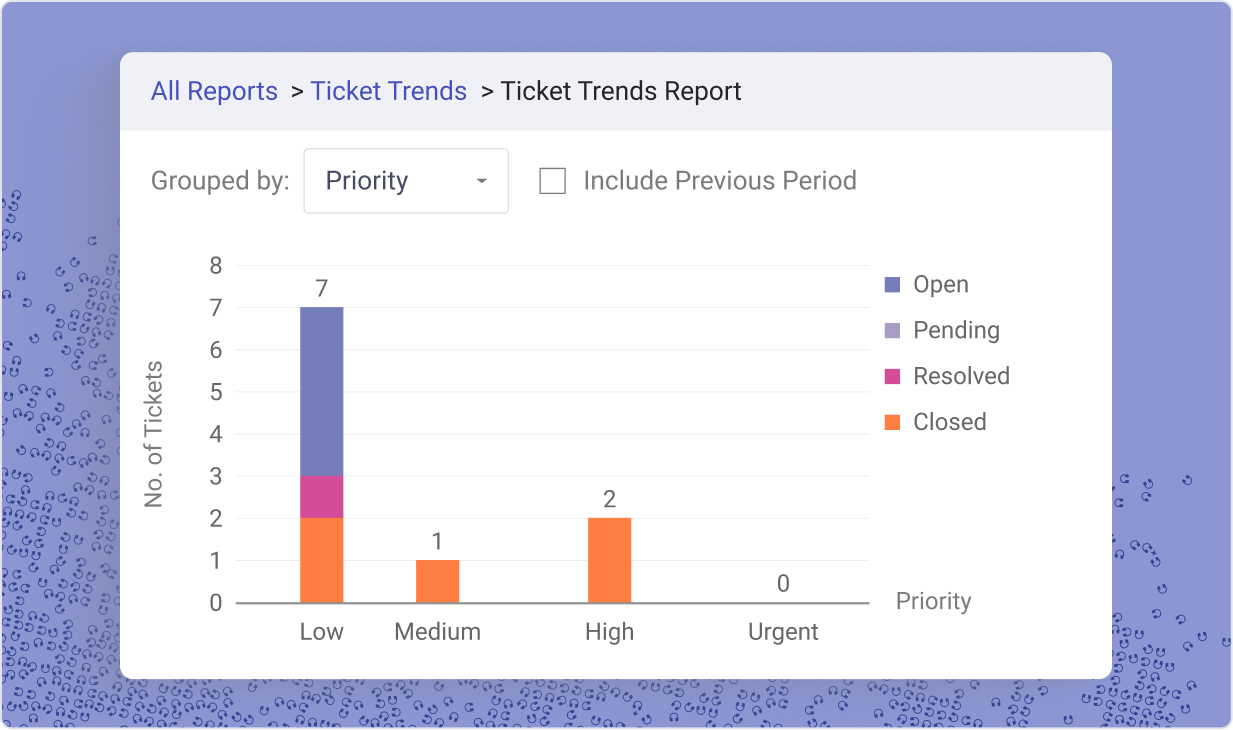
With reporting, SLAs, Round Robin, Knowledge base, Microsoft Teams integration, SOC 2 Type 2 compliance, the Desk365 IT helpdesk is power packed, secure, and built for your needs.
Frequently asked questions
IT helpdesk software helps IT teams manage support requests through a centralized ticketing system.
Desk365 combines helpdesk ticketing with core ITSM capabilities, including Asset Management and Change/Approval Management. It is designed for teams that need more than basic ticketing without the complexity of a large enterprise ITSM platform.
Yes. Employees can create and manage tickets through Microsoft Teams, while IT agents can work on tickets and collaborate within the Microsoft environment.
Yes. The Desk365 Premium plan includes Asset Management for hardware, software, consumables, vendors, locations, depreciation, and asset lifecycle tracking.
Yes. Desk365 can import and sync Intune-managed devices into Asset Management, allowing IT teams to connect device information with users and support tickets.
Yes. Desk365 supports ticket-based, time-based, and workflow automations for actions such as assignment, notifications, field updates, escalations, and other repetitive tasks.
Don't just take our word for it, see why our customers choose us!
Hear from real people who have experienced the difference.
"Desk365 has got all the right ingredients that a Helpdesk solution needs under its belt."
Desk365 has got all the right ingredients that a Helpdesk solution needs under its belt. We use them to manage support for our inhouse & partner product portfolios, custom developments and change management requests. They are constantly innovating and bringing great features at a rapid pace. Apart from the great product itself, they have a fantastic customer support team that is always there to support you and get the features that you want to be implemented in the Helpdesk .
Jugal Piplani
Technical Solutions Manager, Gapcloud
"Highly Recommend."
Desk365 has absolutely improved our ability to process internal/external requests. I needed a software solution that could be easily implemented for a reasonable price point and Desk365 delivered. I have been very impressed with the responsiveness of the Desk365 team and their assistance in configuring the software to fit our needs. Highly Recommend.
Jessica Harrison
Sr. Associate, Christopher Consultants, Ltd.
"They really make you feel they are part of your team."
Desk365 does what you expect from a much more expensive ticket system. The best thing however is the customer support. All questions about the software are answer quickly and completely and suggestions for improvement are treated seriously. They really make you feel they are part of your team.
Jeroen H
Scientist Sensortechnologies
"A very good system all round."
After testing many other helpdesk solutions, we have been utilizing Desk365 for 10 months and have been hugely impressed with its ease of use, speed and simplicity. Everything we need to provide excellent customer support via email (our primary support channel) is available in one place, updates on new features are regular and concise and any requests for new features are reviewed and implemented quickly. A very good system all round.
Andy Roberts
Network & Communications Support Specialist, CSG
"Truly an outstanding product with a knowledgeable, prompt and courteous staff."
We heavily utilize Teams and other Microsoft 365 products and with Desk365’s easy and tight integration with Office 365, it was a natural fit. Our adoption was seamless and we now have a much (much) higher use of the ticket system by end users—instead of the office visit ticket or phone call. With the ability for users to make a ticket in Teams, email or the portal at a click of a button—users naturally gravitate to actual ticket creation. Truly an outstanding product with a knowledgeable, prompt and courteous staff.
Ryan Geiler
IT Director, Community Medical Center
"The Helpdesk system everyone should know about"
Performance, Support, Easy-to-use. The Performance is incredible – one of the fastest Helpdesk systems I have ever worked with. The Support is just amazing. Any inquiries will be answered quickly and professionally. Easy-to-use: almost no one, from our ~100 employees, needed any training. It’s self-explanatory.
Mirko B
System & Network Administrator
"Desk365 has plenty of features which we love to use."
“Desk365 has plenty of features which we love to use. With other tools, we tried, there was always a learning curve. Not with Desk365, simple and fast. The email ticketing module is very intuitive to set up and use. The integration with Microsoft Teams was a big selling point to us. We can work on Tickets within MS Teams, even the customers Tenant can be integrated. Very fast way to communicate with the customers. The standard SLA and the option to set different, special SLAs to some customers make it easy to keep up with all the tickets.”
Jan Schwärzel
CTO, ComSet AG
"Teams integration is fantastic!"
Teams integration is fantastic and has improved user interaction by at least 500%. Tech team is notified in Teams when tickets come in. Users see tech questions and comments in their teams. Automation features are great. Knowledgebase is more than adequate and search functions work well.
Lonny L
IT Manager
Trusted by industry reviewers
Desk365 is highly rated on platforms like G2 and Capterra, earning recognition for its innovation, ease of use, and support capabilities.

Why choose Desk365?
Customers who choose Desk365 feel the difference. Built for and by customers, every feature, every detail is crafted so our users’ lives are simplified.
Set up in minutes
Migrate, onboard, and get started with your new helpdesk almost instantly.
Easy to use
Intuitive software your teams can pick-up in no-time. Ensure a smooth experience for both your agents and your customers.
Support that goes the extra mile
Have questions? Need help? Desk365 is committed to real human support and providing true resolution.
Highest ROI and product value
Reduce costs and increase agent productivity from day 1 so your business sustains growth.
No credit card required.
Security, Safety and Compliance
- At Desk365, ensuring the security of your data is our top priority. We adhere to stringent security policies and controls that meet leading industry standards.
- To cater to our customers, we operate data centers in both the US and EU, specifically offering EU-based centers for those in the European Union.
- We are SOC 2 Type 2 Certified and GDPR compliant.
-
 SOC 2
Type 2 -
GDPR
Compliant -
HIPAA
Ready


HIPAA-ready controls on the Premium Plan. BAA on qualifying annual contracts.
Start your free trial today
Desk365 is built for the evolving needs of IT teams. From handling incidents to setting up proactive workflows, it’s a solution designed to get your agents to stop firefighting and truly elevate IT support.
Start your 21-day free trial now—no credit card required.
Need a walkthrough? Request a demo from our product experts.








Turn every IT request into a trackable ticket
Capture requests and incidents from email, Microsoft Teams, your support portal, web forms, and other channels in one unified inbox.