Capability of a helpdesk system to manage user access through defined roles and permissions for security and policy adherence.
What is access control in a help desk?
Access control determines which users can view information or perform actions in a help desk system. It helps organizations limit access to tickets, customer information, settings, and administrative functions according to each user’s role and responsibilities.
How does help desk access control work?
Administrators assign roles or permissions that define what agents and other users can do. For example, some users may handle tickets while only designated administrators can change system settings. Organizations should review permissions regularly, especially when employees change roles or leave.
Benefits of access control
Data protection: Sensitive support information stays restricted.
Least privilege: Users get only the functions they need.
Accountability: Roles make responsibilities clear.
Fewer unauthorized changes: Settings stay in the right hands.
How does Desk365 help manage access?
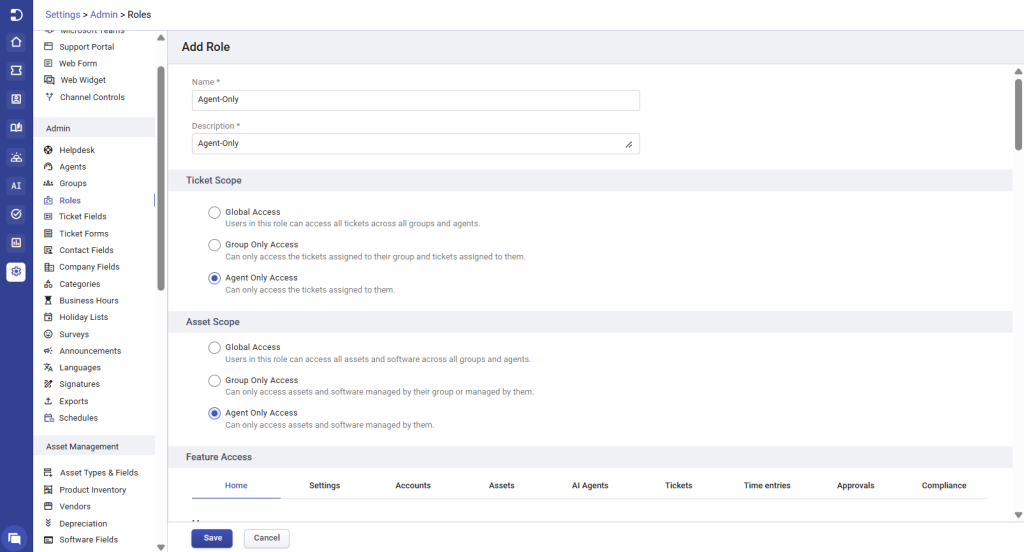
Desk365 controls access through roles and ticket scope.
Default roles: Admin, Manager and Agent.
Custom roles: Define roles with specific permissions and access levels to control what agents can view and do within Desk365.
Ticket scope: Global, group-only or agent-only access to tickets and assets.
Sign-in security: Microsoft Entra ID SSO, multi-factor authentication and custom password policies.
Administrators should assign the least access needed for each role and review settings as team responsibilities change.