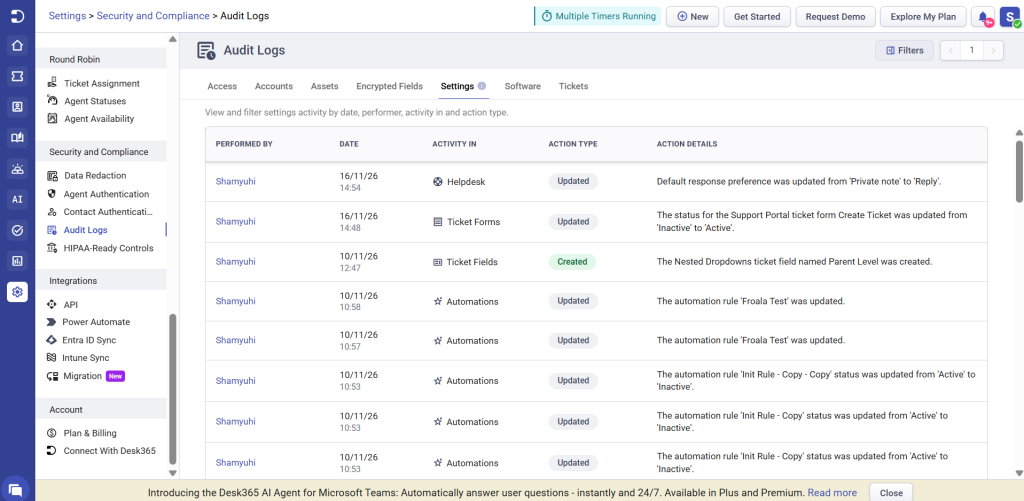
Chronological record capturing system events and user activities within the helpdesk system.
What is an activity log?
An activity log is a chronological record of actions or changes made in a system. In a help desk, it may help teams understand what happened to a ticket, when an update occurred, and which user or automation performed each action.
How does an activity log work?
When a supported event occurs, the system records details such as the action, time, and related record. Authorized users can review the history to understand changes, investigate inconsistencies, or reconstruct the sequence of work.
Benefits of an activity log
Change visibility: See every update made to a ticket.
Faster investigation: Trace what went wrong and when.
Accountability: Know who did what during handoffs.
Review context: Ground quality reviews in facts.
How does Desk365 help teams track ticket activity?
Every Desk365 ticket has a Ticket activities tab that shows all actions on the ticket at a glance.
Audit logs (Premium): A central record of who did what and when, covering access and sign-ins, account changes, assets, settings and tickets.
Role-based access: Admins choose which roles can view audit logs.
Deletion history: Review a record of permanently deleted tickets.