Occurs when multiple support agents attempt to work on or respond to the same customer ticket simultaneously
What is agent collision?
Agent collision occurs when two or more support agents unknowingly work on the same ticket or respond to the same customer at the same time. It can lead to duplicated effort, conflicting instructions, or confusion about who owns the issue.
How does agent collision happen?
Collision can occur when ticket ownership is unclear, multiple agents open the same queue, or handoffs are not documented. Clear assignments and internal communication help teams know who is responsible for the next action.
Benefits of preventing agent collision
No duplicate work: Each ticket is handled once.
Consistent replies: Customers never receive conflicting answers.
Clear ownership: Everyone knows who is working on the ticket.
Smoother collaboration: Agents coordinate without stepping on each other.
How does Desk365 help teams coordinate tickets?
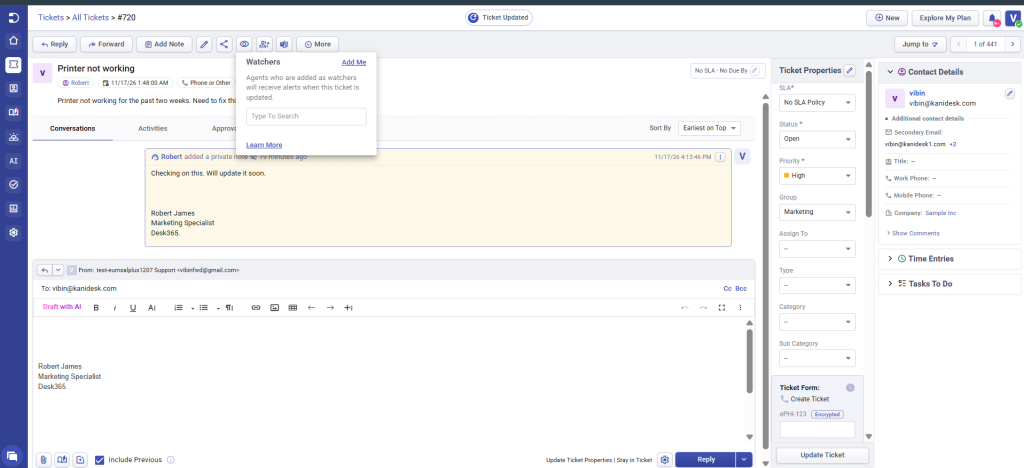
Desk365 includes real-time collision detection. When two agents start replying to the same ticket, each sees a notification banner at the top of the reply editor, so neither sends a duplicate or conflicting answer.
Real-time updates: Ticket changes appear as they happen.
Clear ownership: Assign tickets automatically with round robin.
Watchers: Keep teammates informed without taking over the ticket.